
Time to read :
1 min read
Building a customer relationship management system is no longer optional for businesses that want to grow. The right CRM transforms how companies connect with customers, track sales, and manage data. But what does it actually cost to build one? And how does the development process work from start to finish?
The global CRM market is projected to reach $163.16 billion by 2030, growing at 13.9% annually. That growth shows how critical these systems have become. Off the shelf solutions work for some companies. But custom CRM development gives you complete control over features, workflows, and integrations that match your exact needs.
This guide breaks down everything about CRM application development. You will learn the real costs involved, the step by step process, and how to make smart decisions that fit your budget and business goals.
Key Takeaways
Custom CRM software development typically costs between $25,000 and $300,000, depending on features and complexity
The development process includes six core phases: discovery, design, development, testing, deployment, and maintenance
Basic CRM systems start around $30,000 while enterprise solutions with AI features can exceed $250,000
45% of companies report sales revenue improvement after implementing CRM systems
Development timeline ranges from 3 to 12 months based on project scope
Key cost factors include feature complexity, platform choice, integrations, security measures, and team location
Cloud based solutions often reduce initial infrastructure costs compared to on premise deployments
Starting with an MVP approach can cut initial development costs by 40 to 60 percent
Understanding CRM Software Development
CRM software centralizes customer data into one accessible platform. It converts scattered information into actionable insights that drive business decisions. The system handles sales pipelines, marketing campaigns, customer service tickets, and analytics all in one place.
Different departments access the same customer profiles with complete interaction histories. Sales teams track leads through the pipeline. Marketing teams run targeted campaigns based on customer behavior. Support teams resolve issues faster with full context of previous interactions.
According to Statista, the global CRM software market reached $98.84 billion in 2025. That number keeps climbing because businesses realize CRM software development delivers measurable returns. One study found that every dollar spent on CRM generates an average ROI of $8.71.
Types of CRM Systems You Can Build
The type of CRM you choose directly impacts development costs and timeline. Each serves different business needs.
Operational CRM
This type automates daily processes like lead tracking, email campaigns, and customer inquiries. It combines sales, marketing, and service tools into one platform. Development costs range from $20,000 to over $100,000. These systems work best for businesses focused on improving team productivity and reducing manual tasks.
Analytical CRM
Data driven companies need analytical CRM systems. They gather, prepare, and analyze customer data to identify trends and behaviors. Advanced reporting, AI features, and predictive analytics help teams make informed decisions. Expect to invest $30,000 to over $150,000 for this type.
Collaborative CRM
When customer facing teams need to share information seamlessly, collaborative CRM makes sense. It facilitates communication between sales, marketing, and support departments. Development costs typically fall between $25,000 and $120,000.
Strategic CRM
Built for long term customer engagement, strategic CRM focuses on lifecycle management and advanced personalization. These systems cost $50,000 to $200,000 or more because they require sophisticated features and deep integration capabilities.
How Much Does CRM Development Actually Cost?
Custom CRM software development in 2026 ranges from $15,000 to $300,000. Most projects land between $50,000 and $150,000. The final price depends on complexity, features, deployment model, and the development team you choose.
Cost Breakdown by Project Size
Basic CRM Systems: $25,000 to $50,000
A simple system includes contact management, task tracking, and basic reporting. Development takes 3 to 4 months with a small team. You get essential features without automation or advanced analytics. Perfect for startups and small businesses with straightforward needs.
Mid Range CRM Systems: $50,000 to $150,000
These add workflow automation, customizable dashboards, mobile apps, and third party integrations. Think automated lead assignment, visual sales pipelines, and role based access controls. Development takes 4 to 8 months. This tier suits growing businesses that need more sophisticated tools.
Enterprise CRM Systems: $150,000 to $300,000+
Complex enterprise solutions include AI powered features, predictive analytics, advanced security, and extensive integrations. They support thousands of users with scalable architecture. Development spans 8 to 12 months or more. Large organizations with complex workflows choose this option.
What Drives CRM Development Costs?
Six main factors determine your final investment.
Feature Complexity
Every feature adds development hours. A basic contact form might take days. An intelligent lead routing system considering multiple variables could take weeks. AI recommendations, complex business rules, and automation engines require exponentially more time than simple data entry forms.
Automation and workflow engines typically cost $8,000 to $25,000. Analytics dashboards with real time visualization add $5,000 to $15,000. Advanced predictive analytics reach $20,000 to $40,000. AI driven lead scoring and chatbots start at $15,000 and can exceed $50,000 for sophisticated implementations.
Platform and Technology Stack
Building for web only costs less than developing native mobile apps for iOS and Android. A responsive web CRM works across devices at lower cost. Native mobile apps, often needed for field sales teams, increase budgets significantly.
Technology choices matter too. Open source technologies reduce licensing costs and provide access to pre built components. Popular frameworks like React, Node.js, and Angular offer larger developer pools and faster development.
Integrations
Each connection to another system requires custom API development, data mapping, and testing. Integrating with email platforms or accounting software with well documented APIs costs less. Legacy systems lacking modern connection capabilities require more work.
Common integrations include ERP systems, marketing automation tools, customer support platforms, and payment processors. Integration costs vary from $5,000 for simple connections to $30,000 or more for complex enterprise integrations.
Security and Compliance
Industry regulations like HIPAA for healthcare or GDPR for European customers require extra security measures. This includes audit logging, encryption, secure data handling protocols, and compliance documentation. Security implementations add $10,000 to $40,000 depending on requirements.
Scalability Requirements
Building for 10 users differs dramatically from designing for 1,000 users with plans to reach 10,000. Scalable architecture needs careful database design, caching strategies, and infrastructure planning from the start. Cloud based solutions offer pay as you grow models that reduce initial infrastructure costs.
Development Team Location
Where your team works affects hourly rates and total costs. North American developers charge $100 to $200 per hour. Western European teams bill $80 to $150 per hour. Eastern European developers cost $40 to $80 per hour. Asian teams, particularly in India and the Philippines, offer the most cost effective rates at $25 to $60 per hour.
Working with a custom software development company that matches your budget and quality expectations makes a huge difference in final costs.
The CRM Development Process Step by Step
Building custom CRM software follows a structured approach. Each phase has specific goals, deliverables, and timelines.
Phase 1: Discovery and Planning
This foundation phase defines your CRM goals, workflows, and feature requirements. Teams document what the system needs to accomplish. Expect to spend 2 to 4 weeks here.
Key activities include:
Analyzing current pain points and workflow bottlenecks
Defining user roles and access permissions
Documenting required features and integrations
Creating user stories and use cases
Establishing project timeline and milestones
Reviewing industry specific needs like patient data for healthcare or property listings for real estate
Skipping or rushing this phase leads to scope creep and budget overruns later. A thorough discovery ensures everyone aligns on expectations.
Phase 2: Design and Prototyping
Design transforms requirements into visual interfaces and user experiences. This phase typically takes 3 to 6 weeks.
The design team creates:
Wireframes showing page layouts and navigation
Interactive prototypes for user testing
Visual design including colors, typography, and branding
Database schema and system architecture diagrams
API documentation for integrations
Pre made interface components cost less than custom designs. However, a custom design reflecting your brand creates better user experiences. Most businesses invest $5,000 to $25,000 in professional UI/UX design.
Quality design pays dividends. Users adopt systems that feel intuitive and look professional. Poor design leads to low adoption rates even when functionality works perfectly.
Phase 3: Development and Coding
This is where ideas become working software. Development teams build the actual CRM system according to specifications. Timeline varies from 2 to 8 months depending on complexity.
Development includes:
Frontend development for user interfaces
Backend development for business logic and data processing
Database setup and optimization
API development for integrations
Implementation of security measures
Setting up cloud infrastructure or on premise servers
Agile methodology works best for CRM projects. It breaks work into sprints, usually 2 weeks each. Teams deliver working features incrementally and adjust based on feedback. This flexibility prevents costly mistakes and keeps projects on track.
Many companies partner with experienced web app development teams to accelerate this phase while maintaining code quality.
Phase 4: Testing and Quality Assurance
Nothing goes live without thorough testing. QA teams verify every feature works correctly across different devices, browsers, and scenarios. Comprehensive testing typically requires 3 to 6 weeks.
Testing covers:
Functional testing to verify features work as designed
Performance testing under different load conditions
Security testing to identify vulnerabilities
Integration testing to confirm third party connections work
User acceptance testing with actual team members
Mobile responsiveness across devices
Automated testing frameworks cost more upfront but reduce long term maintenance expenses. Industry research shows verification and validation can represent up to 50% of total development effort.
Phase 5: Deployment and Launch
The system moves from development to production. Teams migrate existing customer data, configure production servers, and train users. Deployment takes 1 to 3 weeks.
Critical deployment activities:
Data migration from existing systems
Production server configuration and optimization
User training sessions and documentation
Gradual rollout to manage risk
Monitoring tools setup for performance tracking
Data migration requires careful planning. Costs vary based on data volume and complexity. Data cleansing and normalization ensure quality information in the new system.
Phase 6: Maintenance and Updates
CRM systems need ongoing care after launch. Regular maintenance keeps software secure, fixes bugs, and adds new features. Plan for annual maintenance costs around 15% to 20% of initial development investment.
Maintenance includes:
Security patches and updates
Bug fixes and performance optimization
Feature enhancements based on user feedback
Infrastructure scaling as usage grows
Technical support for users
Choosing a development partner that offers AI development services can help you add intelligent features over time as your needs evolve.
Custom CRM vs Ready Made Solutions
The build versus buy decision shapes your entire CRM strategy. Each option has clear advantages and tradeoffs.
Custom CRM Development
Custom solutions deliver exactly what your business needs. Nothing more, nothing less.
Advantages:
Complete control over features and workflows
Integration with any existing system
Scalable to match business growth
No per seat licensing fees
Full data ownership and security control
Competitive advantage through unique features
Disadvantages:
Higher upfront investment
Longer development timeline
Requires ongoing technical resources
More complex initial setup
Custom CRM makes sense when your business processes differ significantly from standard workflows. Unique industry requirements, complex integrations, or competitive differentiation justify the investment.
Off the Shelf CRM
Ready made platforms like Salesforce or HubSpot offer quick deployment.
Advantages:
Fast implementation in weeks
Lower initial costs
Regular updates included
Proven reliability
Built in best practices
Disadvantages:
Monthly per user fees add up
Limited customization options
Forced to adapt your processes to the software
Vendor lock in risks
Excess features you never use
Off the shelf works for businesses with standard processes. Companies that fit the template save time and money with ready made solutions.
Total Cost of Ownership
Compare long term costs, not just upfront investment. Custom CRM may have higher initial costs but avoids per seat fees and excessive module charges. Over 5 years, custom solutions often prove more cost effective for mid sized and large organizations.
Ready made CRM with 100 users at $50 per user monthly costs $60,000 annually. After 5 years, that is $300,000 in licensing alone. Custom CRM with $150,000 development cost and $22,500 annual maintenance totals $262,500 over 5 years.
Ways to Reduce CRM Development Costs
Smart strategies cut expenses without sacrificing quality.
Start with an MVP
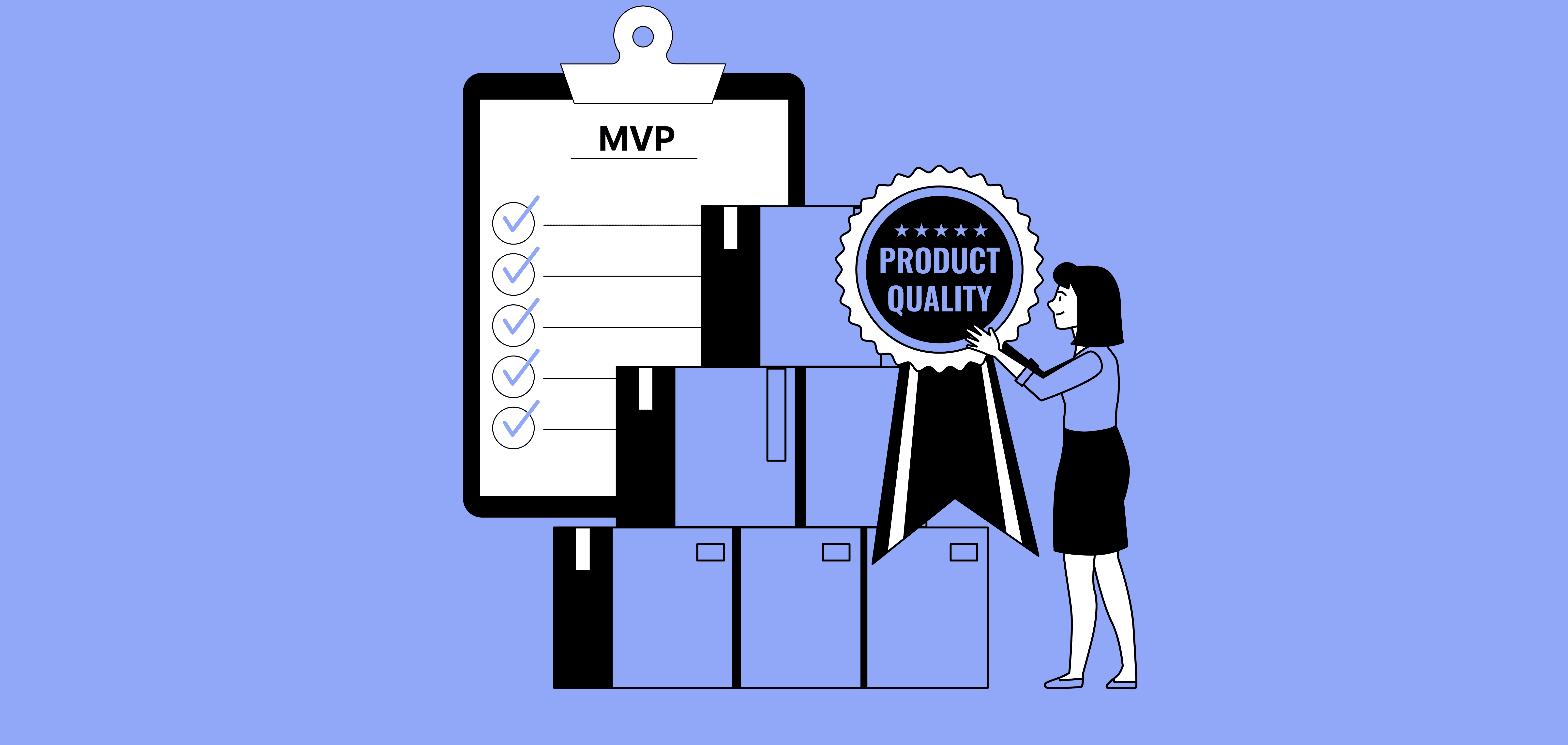
Build a minimum viable product with core features only. Launch quickly, gather user feedback, and add features based on actual needs. MVP development costs 40% to 60% less than full featured systems.
An MVP might include:
Basic contact management
Simple task tracking
Essential reporting
One or two key integrations
Add advanced features like automation, analytics, and AI after validating the core concept. This approach reduces risk and spreads costs over time.
Use Open Source Technologies
Open source frameworks and tools eliminate licensing fees. React, Node.js, PostgreSQL, and MongoDB provide robust foundations at no cost. Large developer communities ensure continuous improvements and security updates.
Open source also offers greater flexibility for customization and scaling. You avoid vendor lock in and maintain full control.
Choose Agile Development
Agile methodology emphasizes iterative progress and continuous collaboration. Breaking projects into manageable sprints ensures regular deliverables. Teams identify and address issues early before they become expensive problems.
Agile reduces waste by building only what users actually need. Regular feedback loops prevent building features nobody uses.
Outsource Strategically
Partnering with development teams in cost effective regions saves money without compromising quality. Eastern European and Asian teams deliver excellent work at 50% to 70% lower rates than North American firms.
Verify the partner's expertise, review previous work, and ensure clear communication channels. The right outsourcing partner becomes an extension of your team.
Prioritize Features Ruthlessly
Not every feature deserves development time. Focus on capabilities that directly support business objectives. Postpone nice to have features until after launch.
Create a feature matrix ranking each by business impact and development effort. Build high impact, low effort features first. Defer low impact, high effort items.
Industry Specific CRM Development Considerations
Different industries have unique CRM requirements that affect development approach and costs.
Healthcare CRM
Medical practices need HIPAA compliant systems with strict data security. Features include patient portals, appointment scheduling, electronic health records integration, and secure messaging. Compliance requirements add $20,000 to $50,000 to development costs.
Healthcare CRMs must encrypt data at rest and in transit, maintain detailed audit logs, and implement role based access controls. The investment protects patient privacy and avoids costly violations.
Real Estate CRM
Property management requires listing databases, client matching algorithms, automated follow ups, and document management. Integration with MLS systems and property portals is essential. Real estate specific features add moderate complexity.
Custom real estate CRM typically costs $40,000 to $120,000 depending on automation sophistication.
Financial Services CRM
Banks, insurance companies, and investment firms need advanced security, regulatory compliance, and complex approval workflows. Integration with core banking systems and payment processors requires expertise.
Financial CRM development ranges from $80,000 to $250,000 due to security requirements and integration complexity. Working with industry specific software development experts ensures compliance and functionality.
E-commerce CRM
Online retailers integrate CRM with inventory systems, shopping carts, and marketing automation. Customer segmentation, purchase history analysis, and abandoned cart recovery drive revenue.
E-commerce CRM costs $35,000 to $100,000 depending on integration scope and automation features.
Measuring CRM Development ROI
Understanding return on investment justifies the CRM system development cost.
Sales Performance Metrics
Track changes in:
Average deal size
Sales cycle length
Win rates and conversion percentages
Revenue per sales representative
Pipeline velocity
Companies report 45% sales revenue improvement after implementing CRM systems. Even modest gains quickly offset development costs.
Operational Efficiency Gains
Measure time savings through:
Reduced data entry through automation
Faster response times to customer inquiries
Improved team collaboration
Eliminated duplicate work
Streamlined approval processes
Teams spend less time on administrative tasks and more on revenue generating activities.
Customer Experience Improvements
Monitor customer satisfaction through:
Net Promoter Score changes
Customer retention rates
Support ticket resolution times
Customer lifetime value increases
Repeat purchase rates
Better customer experiences directly impact revenue. 99% of B2B businesses use CRM software specifically for customer retention.
Cost Reductions
Calculate savings from:
Eliminated redundant software subscriptions
Reduced IT support needs
Lower training costs through intuitive design
Decreased errors and rework
Optimized resource allocation
Document all benefits to build a complete ROI picture.
Choosing the Right CRM Development Partner
Your development partner determines project success or failure.
What to Look For
Evaluate potential partners on:
Technical Expertise
Verify experience with your required technology stack. Review previous CRM projects they have completed. Check if they understand your industry's unique needs.
Communication and Transparency
Clear communication prevents misunderstandings. Partners should provide regular updates, respond quickly to questions, and maintain open dialogue throughout development.
Development Process
Understand their methodology. Agile approaches offer more flexibility than waterfall methods. Ask about quality assurance practices and testing procedures.
Portfolio and References
Review case studies and completed projects. Contact previous clients to ask about their experience. Look for projects with similar scope and complexity to yours.
Post Launch Support
Ensure they offer maintenance services after deployment. Ongoing support keeps your system running smoothly and secure.
Future Trends in CRM Development
Technology continues reshaping CRM capabilities.
AI and Machine Learning Integration
Artificial intelligence transforms CRM from reactive to predictive. AI features include:
Lead scoring based on behavior patterns
Chatbots for 24/7 customer support
Predictive analytics for sales forecasting
Automated data entry and categorization
Personalized content recommendations
AI implementations add $15,000 to $50,000 but deliver significant productivity gains.
Mobile First Design
Remote and field teams need mobile access. Modern CRM development prioritizes mobile experiences. Native apps provide offline functionality and optimized interfaces for smaller screens.
Advanced Analytics and Visualization
Real time dashboards with interactive visualizations help teams spot trends instantly. Self service analytics let users create custom reports without IT help.
Enhanced Security Measures
Cyber threats evolve constantly. Modern CRM systems implement:
Multi factor authentication
Advanced encryption methods
Behavioral analytics to detect anomalies
Regular security audits and penetration testing
Zero trust architecture
Security is no longer optional. Budget adequate resources for robust protection.
Common CRM Development Mistakes to Avoid
Learn from others' errors to keep your project on track.
Skipping the Discovery Phase
Rushing into development without thorough planning leads to scope creep and budget overruns. Invest time upfront to define clear requirements and goals.
Over Engineering the Solution
Building features nobody needs wastes money and delays launch. Focus on core functionality that solves actual problems. Add complexity only when justified by business needs.
Ignoring User Feedback
Teams closest to customers know what features matter most. Involve end users throughout development. Their insights prevent building systems nobody will use.
Underestimating Data Migration
Moving data from old systems to new CRM is complex. Poor planning leads to data loss, duplicates, and quality issues. Allocate sufficient time and budget for proper migration.
Neglecting Training
Even the best CRM fails if users don't know how to use it. Plan comprehensive training programs. Create documentation and video tutorials. Offer ongoing support during the transition period.
Choosing Price Over Quality
The cheapest developer rarely delivers the best results. Balance cost with expertise and quality. Rework and delays from poor development cost more than paying fair rates upfront.
Getting Started with Your CRM Project
Ready to begin? Follow these steps.
Step 1: Define Your Requirements
Document current pain points and desired outcomes. List must have features versus nice to have capabilities. Identify required integrations with existing systems.
Step 2: Set a Realistic Budget
Research typical costs for your project scope. Factor in development, design, testing, deployment, and ongoing maintenance. Add 10% to 20% contingency for unexpected needs.
Step 3: Evaluate Development Options
Decide between in house development, outsourcing, or hybrid approach. Compare costs, timelines, and expertise available through each option.
Step 4: Select Your Partner
If outsourcing, interview multiple candidates. Review portfolios and check references. Ensure cultural fit and communication compatibility.
Step 5: Start with Discovery
Begin with a thorough discovery phase. Invest time in planning to avoid costly changes later. Document everything clearly.
Step 6: Plan for Success
Set realistic timelines and milestones. Establish clear communication protocols. Define success metrics to measure ROI.
Building custom CRM software delivers competitive advantages that off the shelf solutions cannot match. The investment pays dividends through improved sales performance, operational efficiency, and customer satisfaction.
Ready to explore CRM development for your business?
Contact our team to discuss your project requirements and get a detailed cost estimate tailored to your needs.
Some Topic Insights:
How long does it take to develop a custom CRM system?
Development timelines range from 3 to 12 months depending on complexity. A basic CRM with essential features takes 3 to 4 months. Mid range systems with automation and integrations require 4 to 8 months. Enterprise solutions with advanced features and AI capabilities need 8 to 12 months or longer. The discovery and planning phase adds 2 to 4 weeks before development begins.